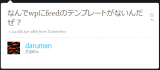
 だるまんさんが、Twitter 上で「なんでwpにfeedのテンプレートがないんだぜ?」とつぶやいていました。
確かに WordPress では、テーマ変更で見栄えがガラッと変わるのに feed は色気の無い画一的なものばかり。
feedburner 導入で表示されるフィードのようにちょっと一工夫したカッコイイフィードを表示すると自己満足度が急速に上がりそうです。
他にも P2 テーマ用にエントリ本文+コメントを含んだフィードを配信するとか、私的にはあまり嬉しくないですがフィードに AdSense 等の広告を含んだりとか、色々と応用範囲が広がりますね。
そんなわけで、各種フィード用テンプレートをデフォルト以外のものに変更する方法を調べてみました。
結論から言うと、アクションフックの remove, add で、簡単にできます。
WordPress では、各種フィードを要求された場合 do_feed_rss, do_feed_rss2, … というアクション(フィルタ)をフックして、それぞれ do_feed_rss(), do_feed_rss2(), … という関数内でテンプレートをロードしています。
なので、これらのアクションフックを remove 後、新たにテーマフォルダ内のテンプレートをロードするようなアクションフックを add すれば、お好きなテンプレートをロードできるようになるのです。
実際のコードは、こんな感じ。
<?php
// アクションフック リムーブ
remove_filter('do_feed_rdf', 'do_feed_rdf', 10);
remove_filter('do_feed_rss', 'do_feed_rss', 10);
remove_filter('do_feed_rss2', 'do_feed_rss2', 10);
remove_filter('do_feed_atom', 'do_feed_atom', 10);

// アクションフック 追加
function custom_feed_rdf() {
	$template_file = '/feed-rdf.php';
	$template_file = ( file_exists( get_template_directory() . $template_file )
		? get_template_directory()
		: ABSPATH . WPINC
		) . $template_file;
	load_template( $template_file );
}
add_action('do_feed_rdf', 'custom_feed_rdf', 10, 1);

function custom_feed_rss() {
	$template_file = '/feed-rss.php';
	$template_file = ( file_exists( get_template_directory() . $template_file )
		? get_template_directory()
		: ABSPATH . WPINC
		) . $template_file;
	load_template( $template_file );
}
add_action('do_feed_rss', 'custom_feed_rss', 10, 1);

function custom_feed_rss2( $for_comments ) {
	$template_file = '/feed-rss2' . ( $for_comments ? '-comments' : '' ) . '.php';
	$template_file = ( file_exists( get_template_directory() . $template_file )
		? get_template_directory()
		: ABSPATH . WPINC
		) . $template_file;
	load_template( $template_file );
}
add_action('do_feed_rss2', 'custom_feed_rss2', 10, 1);

function custom_feed_atom( $for_comments ) {
	$template_file = '/feed-atom' . ( $for_comments ? '-comments' : '' ) . '.php';
	$template_file = ( file_exists( get_template_directory() . $template_file )
		? get_template_directory()
		: ABSPATH . WPINC
		) . $template_file;
	load_template( $template_file );
}
add_action('do_feed_atom', 'custom_feed_atom', 10, 1);
?>
テーマの functions.php とかに追記しておけば、それぞれ以下のファイルがテーマフォルダ内にあると、feed 作成用のテンプレートとして使用できます。
- feed-atom.php … atom フィード用テンプレート
- feed-atom-comments.php … atom コメントフィード用テンプレート
- feed-rdf.php … rdf フィード用テンプレート
- feed-rss.php … rss フィード用テンプレート
- feed-rss2.php … rss 2.0 フィード用テンプレート
- feed-rss2-comments.php … rss 2.0 コメントフィード用テンプレート
これらのテンプレートの元ファイルとしては、wp-include フォルダ内の同名のファイルをテーマフォルダ内にコピーして使用すれば良いでしょう。
カスタマイズは、通常のテーマテンプレートファイルと同様にして行えます。
これにカッコイイサンプルテンプレートを追加すれば、WordPress 用プラグインの出来上がりですが、残念ながらカッコイイデザインのセンスが無い … orz
ピンバック: WordPressのフィードに関する覚え書き | Gatespace's Blog
ピンバック: Wordpressでfeedのテンプレートをカスタマイズする手順まとめ |ウェブシュフ
ピンバック: WordPressで登録ユーザー限定コンテンツがあるときのフィードの本文 | Gatespace's Blog
ピンバック: WordPressのフィードに関する覚え書き | Gatespace's Blog
ピンバック: WordPressで登録ユーザー限定コンテンツがあるときのフィードの本文 | Gatespace's Blog
ピンバック: WordPressのRSSFeedに、アイキャッチ画像を追加する方法 | InfinityScope
丁度カスタマイズしたいと思っていました!参考にさせて頂きます^^
ピンバック: WordPressのFeedテンプレートをカスタマイズする | masalog
ピンバック: feedテンプレートを作る - Dazzling World2
ピンバック: フィードのテンプレートってないの?【WordPress】 | ウェブなとき。
ピンバック: Daily Digest for 20091027 – lifestream@add
あの時は大変助かりました^^
結局自分でやろうとしていた事はthe_contentsフックで本文を隠せばいいだけだったので、feedのテンプレートが必須な無いようではなかったと後で気づきましたが、今後暇があればfeedを読んで告知を出す簡単なAIRアプリでもと思ってたので、その際読みやすいfeedを作るために活用できそうだなと思ってたりします。
ありがとうございました!
だるまんさん、どもです。
お役に立てたようで良かったです。
ここに載せたコードは最初に提示したものと若干変わってます。
# 具体的には、テーマフォルダに無かったらデフォルトのテンプレートを使用するようになっています。
そのうち、私なりのフィルタフックの探し方とかもエントリするつもりです。